How to Use These Materials
A Guide to Navigating the Workshop
How Code is Demonstrated
Throughout these materials, we use live-rendered code blocks to demonstrate R’s functionality. This means the results you see on the website were generated by the code right above them.
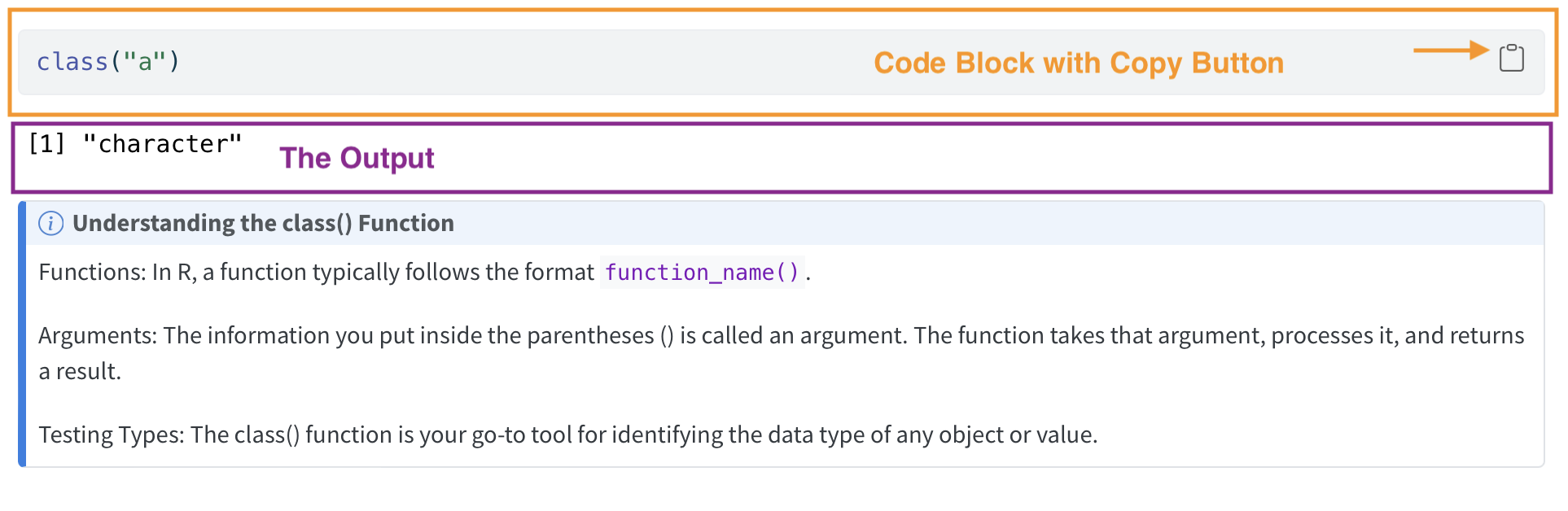
The Code Block
You will see code blocks with a copy button in the top-right corner.
- To try it yourself: Click copy and paste the code into your RStudio Source Editor or Console.
- To run it: Use the shortcuts
Cmd + Return(Mac) orCtrl + Enter(Windows). - If you need a refresher on running code, refer to Get Acquainted with R and RStudio Section - 3.2.4: Executing Code.
The Output
Immediately following the code block, you will see the results. These lines represent the exact output you will see in your RStudio Console on your own computer.
How the Workshop is Structured
We follow a “Walk-through and Practice” model:
Interactive Review: We will first go through the online materials together to establish the core concepts.
Hands-on Session: We will then transition to RStudio on your individual computers to practice coding in real-time.
The code on this website serves as a reference guide, but the real learning happens when you type and troubleshoot on your own machine.
Why a Website Instead of Slides?
Traditional slides can often be a barrier to learning code for a few reasons:
The “Setup” Lag: In many workshops, significant time is lost waiting for everyone to reach the same setup step, causing faster students to lose momentum.
Information Density: Long, dense slides can be distracting. It is easy to lose your place, and once you fall behind, it is difficult to catch up.
Self-Paced Learning: As someone who values clear, manageable steps, I designed this format to be beginner-friendly. You can stop, re-read, and continue at any time.
This website is intended to be a living resource—something you can study at your own pace during the workshop and return to for review later in your research.
Behind the Scenes: How this Site was Built
This site is built using Quarto and Markdown, hosted via GitHub Pages.
Markdown is a lightweight text-editing language that is excellent for combining professional page layouts with live code. Much like LaTeX, it is a powerful tool for academic writing, and learning it will help you in your own research documentation!